Pinecone brand guidelines
Logos, colors, and the rules for using them, in one place. Every file has a permanent link you can download, copy, or point to.
Brand 4.0 / Updated October 2026 / ZIP 985 KB / PDF 4.4 MB
Logos
Lockup
The logomark and the name together. Use it by default, and always for audiences who don't know Pinecone yet.


Logomark
The symbol alone, for tight spaces and grids of partner logos, where people already know the brand.


Logotype
The name alone, with custom kerning. It is generally not used without the logomark, and should never be retyped in a font.


Link to a logo
Every file has a permanent address, so you can link to it instead of copying it. These URLs will not change.
<img src="https://www.pinecone.io/images/brand/pinecone-lockup-black.svg" alt="Pinecone" height="24">











Clear space and size
Lockup / 24 pxLogomark / 24 pxLogotype / 24 pxFiles with clear space built in
The lockup and logomark on a canvas that already includes the clear space. Place the file as it is and the spacing takes care of itself.







Color
- HEX
- #FFFFFF
- RGB
- 255, 255, 255
- Use
- Backgrounds and reversed text.
- HEX
- #1C1C1C
- RGB
- 28, 28, 28
- Use
- Backgrounds and primary text.
- HEX
- #002BFF
- RGB
- 0, 43, 255
- Use
- The accent: buttons, highlights, diagrams, and charts.
Rules
- Use white or black for almost every background.
- Blue is an accent. Use it rarely, if ever, as a background.
- Avoid blue text on black. It is hard to read.
Logo on color
The logo is black or white only. Choose whichever gives the most contrast with the background.
Typography
GT Planar VCTR
- The lead typeface for everything except code.
- Bold for headlines, Regular for body text.
- Sentence case. Never all caps.
- Italics only to stress a single word.
Licensed from Grilli Type and not available for download. Where you can't use it, use Inter. Inter
JetBrains Mono
- Code, technical labels, and small eyebrow headers.
- All caps for eyebrows, title case for labels.
- Never for headlines or as the largest type on a page.
Open source under the SIL Open Font License. JetBrains Mono
Writing the name
- Incorrect:PineCone
- Incorrect:pinecone
- Incorrect:PINECONE
- Incorrect:Pine Cone
- Incorrect:Pinecone.io
- Incorrect:Pinecone AI
- Incorrect:Pinecone DB
pinecone.io is our web address, not our name. In code, lowercase is fine where the language expects it.
Products
Write the full product name the first time it appears. After that, the short form is fine.
- Pinecone Database
- Pinecone Nexus
- Pinecone Marketplace
- Pinecone Assistant
Saying you work with Pinecone
Lead with your own name. Pinecone comes after it.
- Acme Search, powered by Pinecone
- Acme integrates with Pinecone
- Pinecone Search by Acme
- Acme Pinecone
Co-branding
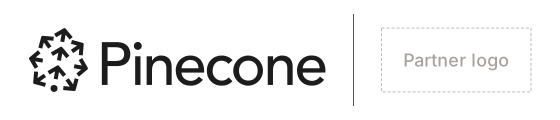
- Size the two logos so they look the same size. That is an optical match, not the same pixel height.
- Put space equal to two arrow heights on each side of a thin 1 px divider in a neutral color.
- Keep the same two-arrow clear space around the whole group.
- Never merge the marks or build a new combined lockup.
- The co-branding template below already has this spacing. Swap in the partner logo and keep everything else.
Template
An SVG with the Pinecone lockup, the divider, and a placeholder for a partner logo. Open it in Figma or Illustrator, swap in the partner logo, and keep the spacing.

Misuse
Don't rotate it
Don't stretch or squash it
Don't retype the name in a font
Don't outline it
Don't rearrange the lockup
Don't add effects such as shadows
Don't place anything over it
Don't use low-contrast backgrounds
Don't use any color other than black or white
Describe Pinecone
Build knowledgeable AI
The trusted AI knowledge company
Pinecone is the trusted AI knowledge company. Its AI knowledge platform—Database, Nexus, and Marketplace—powers accurate, fast, cost-effective AI for 10,000+ customers and 1M developers worldwide.
Pinecone is the trusted AI knowledge company. Its trusted AI knowledge platform—including its Database, Nexus, and Marketplace products—powers accurate, fast, and cost-effective AI applications for more than 10,000 customers and 1M developers worldwide.
Usage and contact
You may
- Use the Pinecone name and logo to refer to Pinecone and its products accurately.
- Show that your product uses, integrates with, or is built on Pinecone.
- Use the logo in articles, talks, and listings about Pinecone.
You may not
- Suggest that Pinecone sponsors, endorses, or partners with you without an agreement that says so.
- Use Pinecone, or anything that looks like it, in the name of your company, product, or domain.
- Change the logo, or make it more prominent than your own name.
- Put the logo on merchandise or anything you sell.
For any other use, including co-marketing and event signage, ask us first.
Pinecone is a registered trademark of Pinecone Systems, Inc.
Need something that isn't here?
Tell us what you're making and we'll help you get it right.